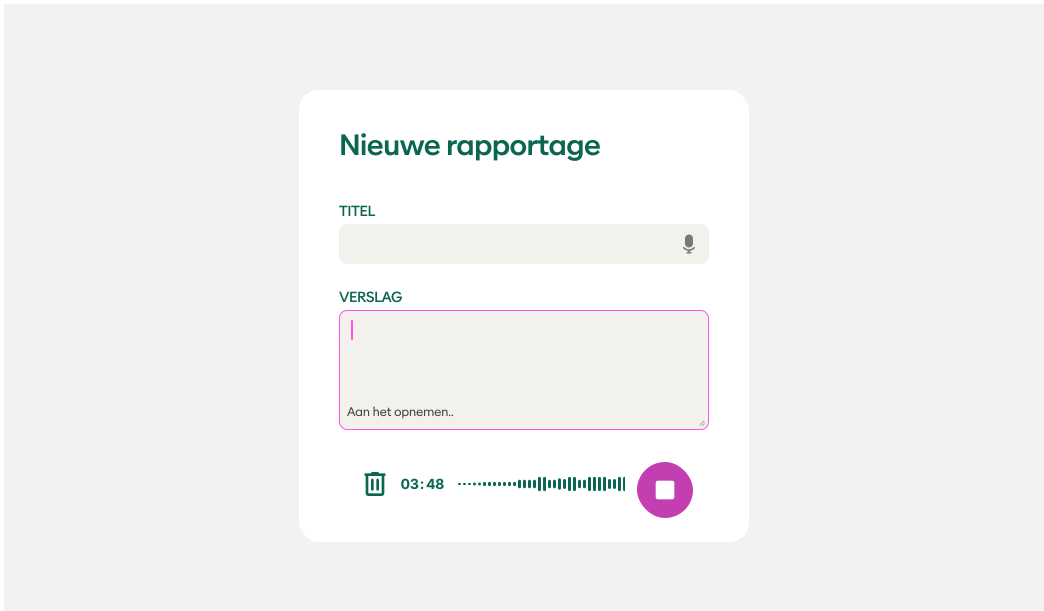
Recording Bar Specs
Anatomy
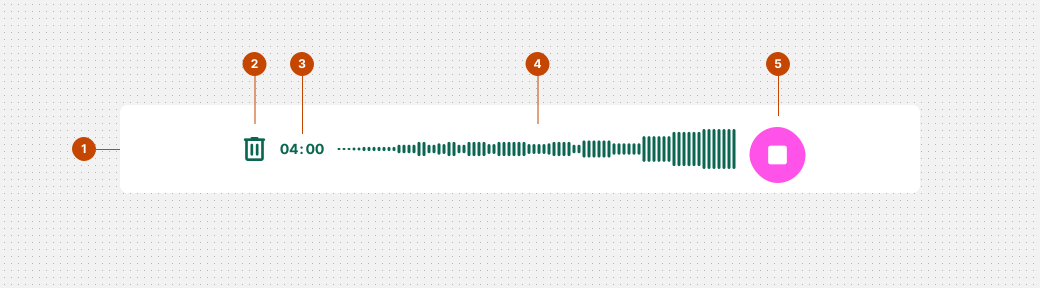
1. Recording bar (Width: 100%, height: 72)
2. Delete (size: 40 x 40 px)
3. Timer (font-size: 14px, width: auto)
4. Volume over time (max-height: 40px, width: 100%)
5. Floating Action Button (size: 56 x 56 px)
Layout and Spacing
web-native-recording
- Direction: horizontal
- Alignment: middle center
- Vertical resizing: auto
- Horizontal resizing: 100%
- Row spacing: 12px
- Padding: 16px
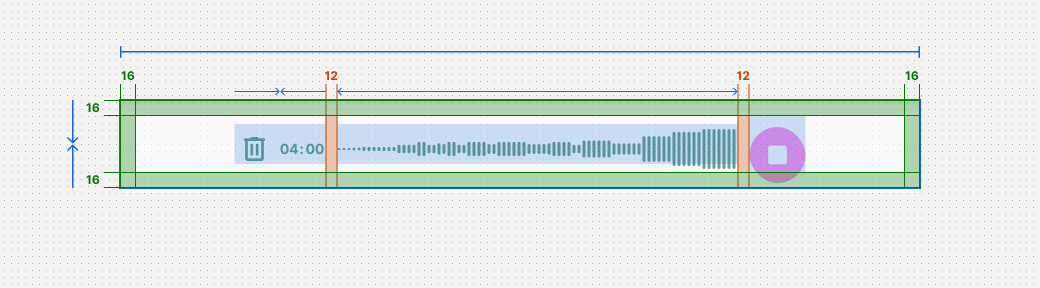
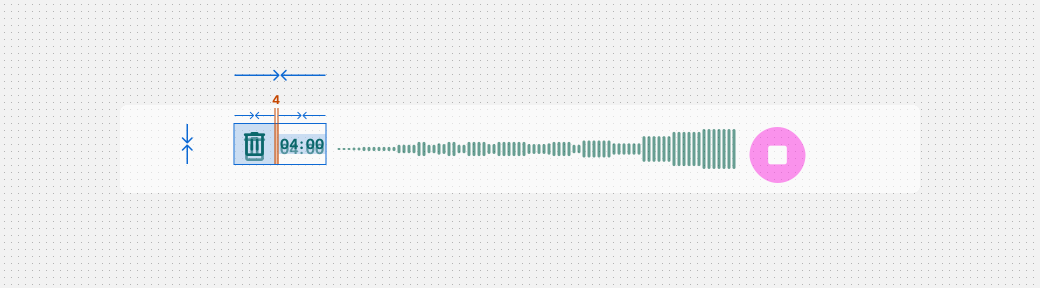
leading
- Direction: horizontal
- Alignment: middle left
- Vertical resizing: hug
- Horizontal resizing: auto
- Row spacing: 4px
wave-wrapper
- Direction: horizontal
- Alignment: middle left
- Vertical resizing: hug
- Max width resizing: fill
- Row spacing: 2px

Alignment & Placement
Place the recording bar close, ideally directly below the text field or area, for easy interaction and enhanced proximity.
Ensure the recording bar adapts to the width of the text field or area for the best affordance.